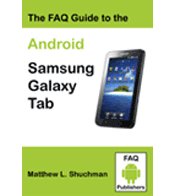
The FAQ Guide will teach you with a step-by-step methodology to make the most productive use of your Samsung Galaxy Tab as a business tool, a communications device, a GPS, and an entertainment platform.
With more than 350 pages of how to and reference materials including more than 400 screenshots and images, this book will soon become the Galaxy Tab Bible.
******
This is a pre-order for the book at a 20% discount. The list price of this book is $34.95 however for pre-orders we are making it available for $27.00 with Free shipping in the USA and reduced shipping costs to Canada and the United Kingdom. The item is expected to ship approximately December 28th. The book will not be available in bookstores until the middle of January.
******
Answering hundreds of frequently asked questions using photographs of screen images from Sprint, T-Mobile, and Verizon Galaxy Tabs, it shows you how to become comfortable with the powerful features available in Android 2.2.
The 70 page section on the new Froyo 2.2 version of the Android Browser is the first complete guide detailing every feature available with one of the best Apps ever written for Androids.
In the first tutorial section you will learn how in less than 10 minutes you can progress from taking the device out of the box to connecting to the Internet and browsing your favorite websites. The next section shows you how in another 10 minutes you can setup and start reading and sending your email.
The author takes you on a guided tour of each of the major functions of the device and each of the Apps that are preloaded. The Galaxy Tab is a superb media player with two cameras and this FAQ guide has sections with step-by-step instructions on how to start using the video and still camera functions, reading e-books, displaying and sharing photos, viewing and downloading videos, and playing music. You'll also learn how to use the map applications and the GPS-navigation services to get driving directions and view satellite photos of destinations.
To expand the capabilities of your Galaxy there is a section on how to download from Google Market and other App stores. Suggestions are included of many free and low-cost apps you can download to improve the Galaxy Tab’s functionality. Each of the Apps recommended have been fully tested for compatibility and ease of use.
This easy to follow book is excellent for the beginner and also has advanced chapters for experts.